Robot Car Emergency Rescue 2
Review
Robot Car Emergency Rescue 2 offers a refreshing take on action games for children. Each mission teaches problem-solving and cooperation without any violence. The typhoon port level adds variety and requires careful driving. Replayability is high as kids try to improve their scores. The visual instructions make it accessible for non-readers. It is a valuable tool for parents seeking positive screen time.
Full story
Game Introduction
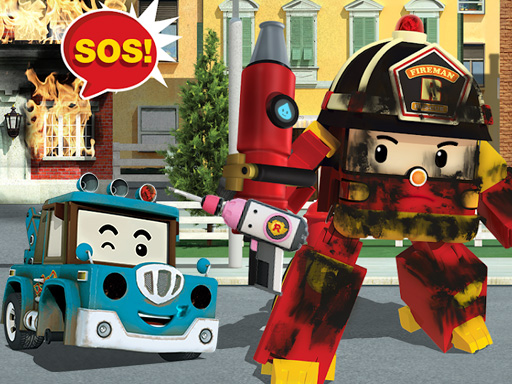
Robot Car Emergency Rescue 2 is a safe and engaging online game for children. Players join heroic robot cars to save a city from emergencies. Missions include putting out fires, rescuing a lost cat, and repairing damaged buildings. A new port area hit by a typhoon adds exciting challenges. The game promotes teamwork and problem-solving in a fun, non-violent environment. With bright graphics and simple tasks, it keeps kids entertained while teaching helpfulness and calmness during emergencies.
How to Play
To play, use your mouse or touch screen to control the robot car. Follow visual instructions to complete each rescue. For example, drive to a fire and use water hoses to extinguish flames. Navigate to find the cat and bring it to safety. Repair buildings by collecting tools and following prompts. In the typhoon port, drive carefully to avoid obstacles. Each level has clear goals, and you earn points for successful rescues. No reading is needed, as pictures guide you through tasks.
Game Features
Safe and educational rescue missions. Colorful graphics and engaging tasks. Teaches teamwork and problem-solving. No violence or scary content. Easy to learn with visual cues. Perfect for boys and girls.
Tips for Success
Robot Car Emergency Rescue 2 combines action with learning. Kids feel heroic while helping others. The game encourages bravery and kindness in a safe setting. Families can enjoy it together, knowing it promotes positive values.
🛠️ Compatibility
• OS: Windows 10+, macOS 11+, iOS 14+, Android 10+ • Browsers: Chrome 100+, Safari 15+, Edge 100+, Firefox 100+ • Not compatible with Internet Explorer Tested on real devices – works as expected