
Core Control Concept
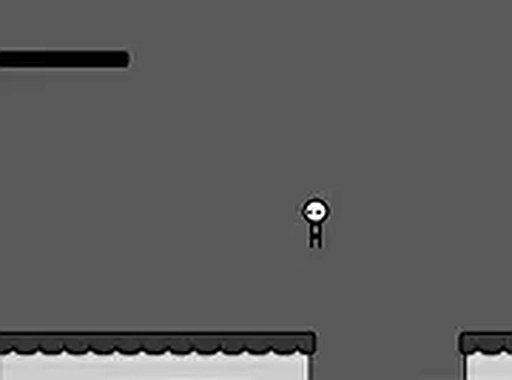
Cursor Path Challenge introduces a unique control method where your mouse pointer acts as a repelling force. The character on screen moves away from the cursor, meaning you guide it by positioning the pointer in the opposite direction of where you want it to go. This inverted control scheme requires a different kind of thinking compared to standard platformers. Players must learn to anticipate the character's movement and plan their cursor placement accordingly. The system rewards deliberate, steady hand movements rather than quick flicks, making each session a lesson in controlled precision.
Obstacle Navigation
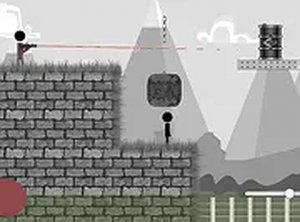
The game presents a series of platforms separated by gaps and blocked by various obstacles. To cross these, you must click the mouse button while the cursor is near the character, triggering a jump. The timing of this click is critical. Click too early and the character may leap into a gap before reaching the edge. Click too late and it may fall short or collide with an obstacle. Each new section introduces slightly different spacing and obstacle heights, gradually increasing the demand on your ability to judge distances and reaction times. The environment is clean and uncluttered, keeping your focus on the character and the immediate challenge.
Progressive Difficulty Curve
Early stages serve as a gentle introduction, allowing you to become comfortable with the cursor-based movement and jump timing. As you advance, the gaps become wider, obstacles appear more frequently, and the required cursor placement becomes more precise. The game does not rely on random elements; each challenge is carefully placed to test a specific skill. This structured progression means that failure is often a clear signal to refine your technique rather than a result of luck. Players who persist will notice measurable improvements in their hand-eye coordination and reaction speed.
Technical Accessibility
Cursor Path Challenge runs entirely within a web browser, requiring no downloads, installations, or account creation. It is optimized for desktop and laptop computers with a mouse or trackpad. A full-screen mode is available to minimize distractions and provide a more focused experience. The game is free to play with no advertisements that interrupt gameplay. Its lightweight design ensures smooth performance even on older machines, making it accessible to a wide audience. The interface is minimal, with no complex menus or settings to navigate before starting.
Family-Friendly Design
The game contains no violent imagery, mature themes, or inappropriate content. Its visual style is simple and cartoonish, suitable for players of all ages. The core challenge is purely mechanical, focusing on motor skills rather than story or character development. This makes it an excellent tool for younger players to practice fine motor control in a safe, engaging environment. Parents can feel confident allowing children to play without supervision. The absence of in-game purchases or external links further ensures a secure experience.


Comments
0 comments