
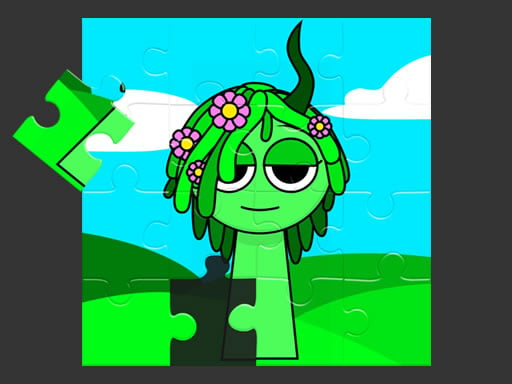
Assembling the Picture
Sprunki Picture Puzzle Game asks one straightforward thing of the player: take a scrambled set of pieces and reconstruct the complete image they belong to. You pick a picture from the available collection, then choose how many pieces to divide it into. That single decision sets the entire challenge level, from a quick handful of pieces to a denser arrangement that demands closer attention to edges, colors, and patterns. The pieces appear shuffled on screen, and your job is to click and drag each one toward the spot where it seems to fit.
How a Session Unfolds
There is no penalty for placing a piece incorrectly, so the game never punishes experimentation. The timer begins the moment you move your first piece, but it functions purely as a record of how long a solve took rather than a countdown. You can abandon a puzzle at any point and start fresh with a different image or a different piece count. This makes the experience easy to pick up and put down, whether you have five minutes or an hour.
Difficulty Without Pressure
Because difficulty is controlled entirely by piece count, the game scales naturally for different players. Younger children can work with fewer pieces and still complete a recognizable picture, while older players can raise the count for a more involved matching task. The absence of time limits, penalties, or fail states means the only measure of progress is your own completion time, which you can compare across attempts on the same image.
Recognizing Patterns
Success depends on visual reasoning rather than reflexes. Matching edges form the frame of the picture, and grouping pieces by color or pattern narrows down where each one belongs. Starting with a lower piece count helps new players learn how the interface responds before moving to denser layouts. Replaying a favorite image is a practical way to sharpen recognition and finish faster on a second attempt.






Comments
0 comments