
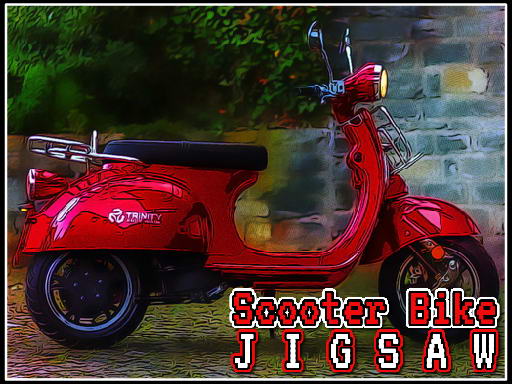
Assembling Scooter Images
Scooter Jigsaw Puzzle asks you to complete a picture by placing scattered pieces into their correct positions. Each puzzle uses a scooter-themed image, and the goal is to reconstruct the full picture. Six different scooter images are available, so you can switch between them for variety. The game runs in a browser, requires no download, and works with both mouse and touch controls.
Difficulty and Piece Count
Before starting a puzzle, you select one of three difficulty modes: easy, medium, or hard. The mode you choose changes how many pieces are scattered across the board. Easy mode uses fewer pieces, which makes it a practical starting point if you are new to jigsaw puzzles or want a short session. Medium and hard modes increase the piece count, extending the time and attention each puzzle requires. There are no timers or penalties, so you can work at your own pace regardless of the mode.
Controls and Placement Feedback
Pieces are moved by dragging and dropping them onto the board. When a piece lands in the correct spot, it snaps into place automatically, confirming that the placement is right. Incorrect placements do not lock or penalize you; you can keep moving pieces until they fit. This immediate snap feedback helps you track progress without needing to remember which pieces you have already tried. The same drag-and-drop control scheme applies on desktop and mobile devices.
Approaches That Help
Starting with edge pieces gives you a border, which narrows down where the remaining pieces belong. Grouping pieces by similar colors or patterns can also reduce the number of comparisons you make. If you get stuck, taking a short break or looking at the image from a different angle can help you notice matches you missed. Because there is no time limit, these habits are optional rather than required, but they can make larger puzzles less frustrating.





Comments
0 comments