
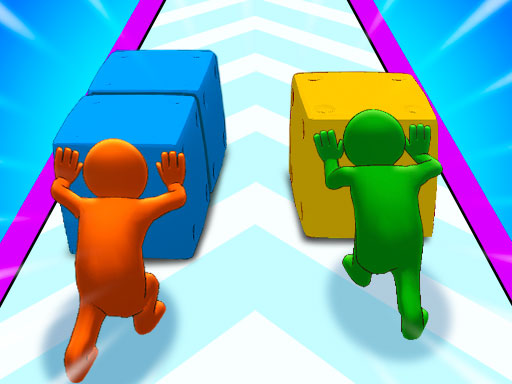
Core Objective and Cube Growth
In Color Cube Push Arcade, your main goal is to lead a group of vibrant cubes from the start of a course to the finish line. Along the way, you collect additional cubes, and the size of your group directly affects how strong you are when you reach the end. A larger cube count gives you more power to overcome the final challenge, so deciding when to chase extra cubes and when to play it safe becomes a central part of each run.
Color Gates and Route Decisions
Courses are broken up by color gates that only allow cubes of a matching color to pass. This means you cannot simply rush forward; you have to observe the gate colors ahead and plan your movement so your cubes align correctly. Choosing the best route to increase your cube count while still passing through the right gates is the strategic heart of the game. Simple left, right, up, and down controls keep movement accessible, but the gate system adds a layer of forward planning that rewards careful players.
Costumes and Replay Variety
Scattered throughout the levels are costumes that your cubes can collect. Each costume adds a twist to the playthrough, which may include visual upgrades or special abilities. Because costumes introduce variation, no two runs feel exactly the same, and there is a reason to revisit courses to see what different costumes do. The collection system also gives players a secondary goal beyond simply reaching the finish line.
End-Level Boss and Two-Player Mode
At the end of each level, you face a giant color creature that serves as the final test of your cube group's strength. The more cubes you have gathered, the better your chances of succeeding. Positioning and timing matter here, since you need to use your cube power effectively. The game supports both solo play and a 2-player mode, where you can compete or cooperate with a friend. In two-player sessions, coordinating to cover more ground and share resources can make a noticeable difference.




Comments
0 comments